Assign Test to Patient
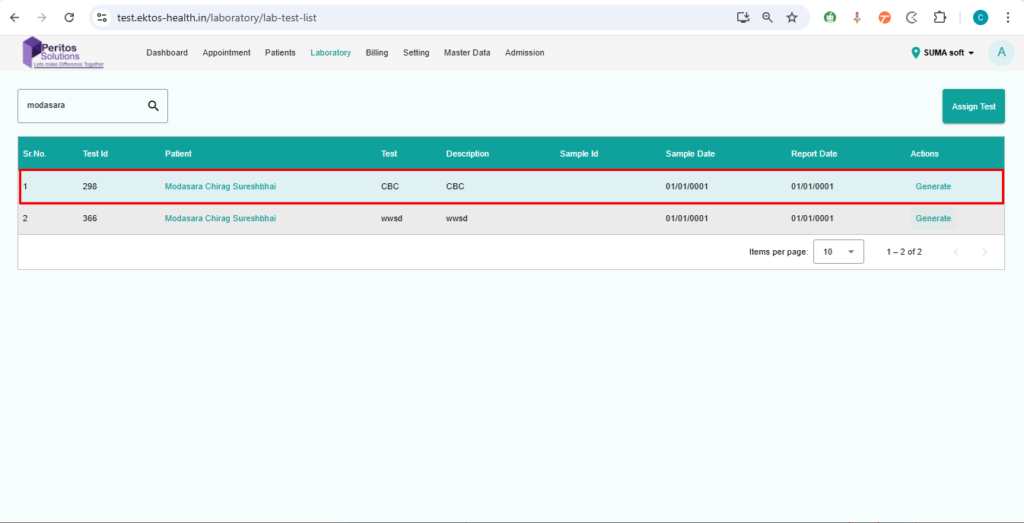
Verify that a user can assign a test to a patient from the laboratory page.
1. Navigate to the laboratory page
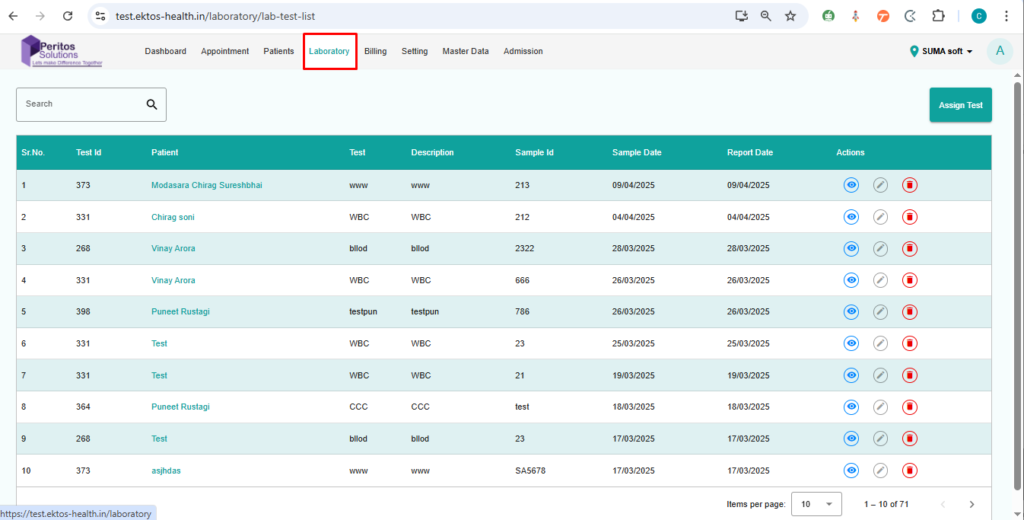
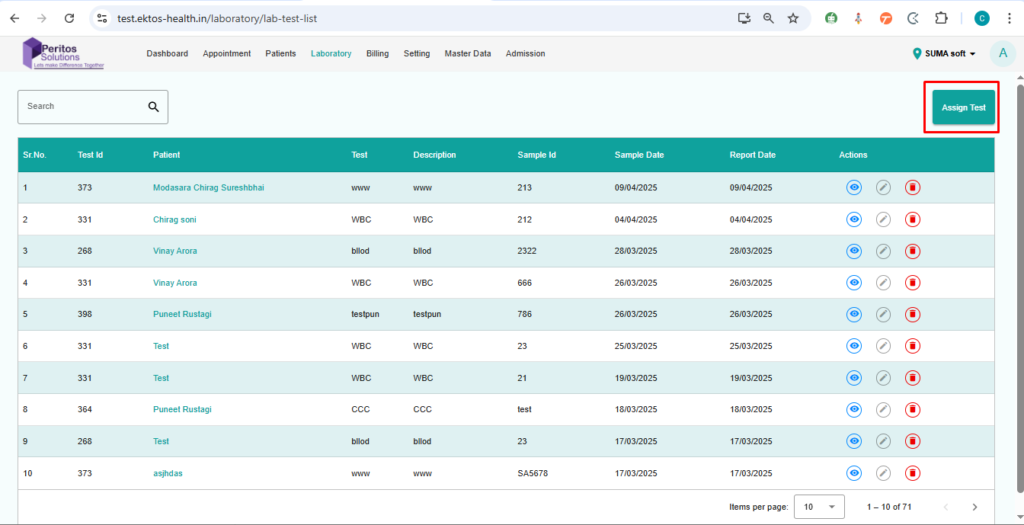
2. Click on assign test
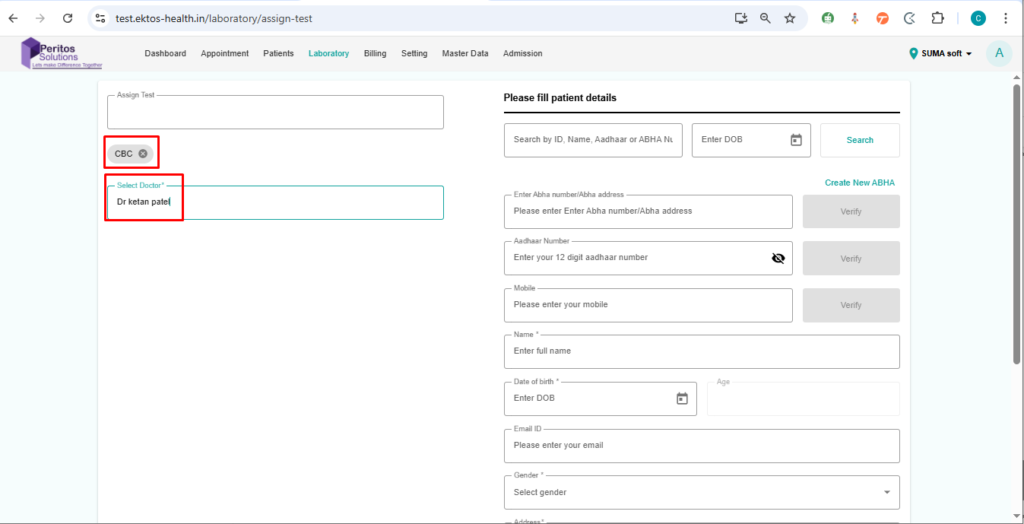
3. Select the test name and the doctor
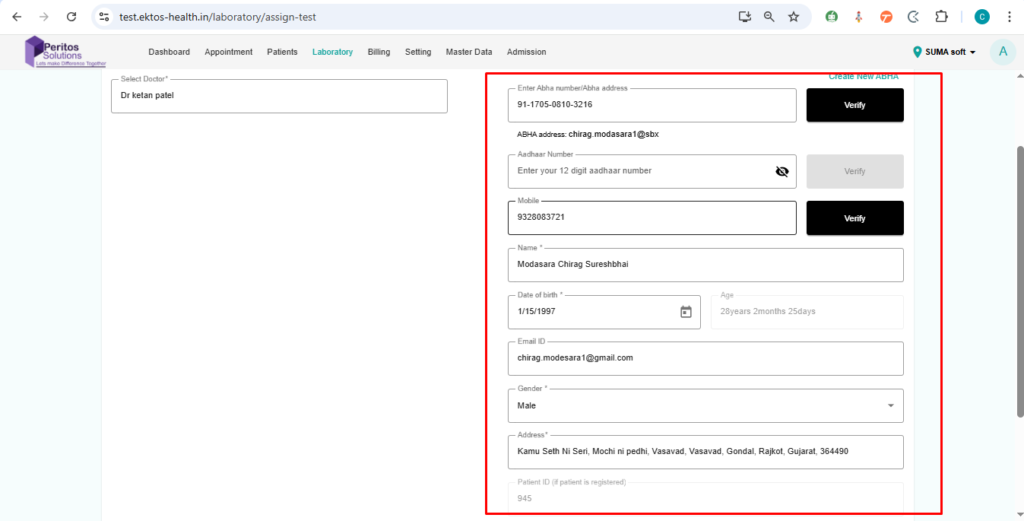
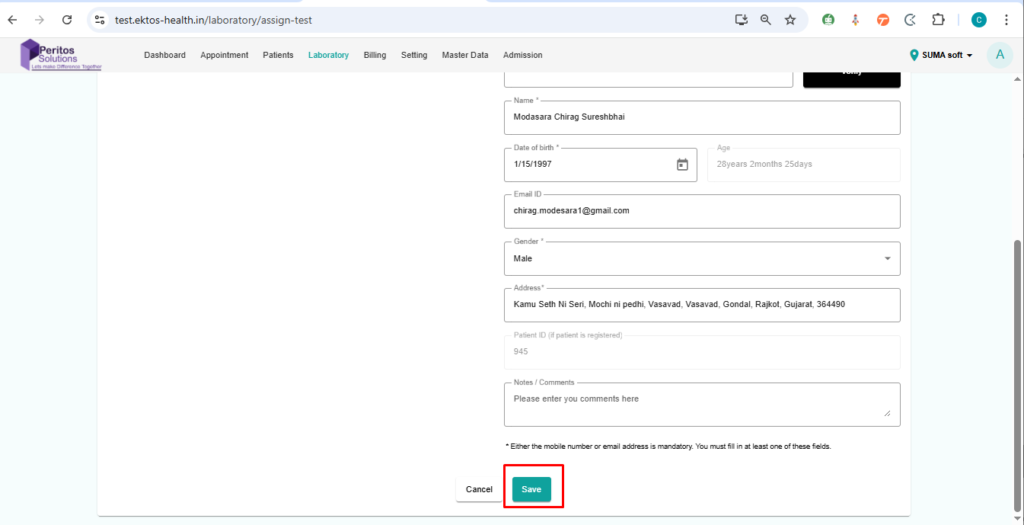
4. Fill/add patient details
5. Click on save

Verify that a user can assign a test to a patient from the laboratory page.
1. Navigate to the laboratory page
2. Click on assign test
3. Select the test name and the doctor
4. Fill/add patient details
5. Click on save