
Cancel appointment
Introducing our new appointment cancellation feature in Ektos-health! Designed for busy professionals and healthcare providers, this feature simplifies the process of managing your appointments, allowing you to maintain an organized schedule and avoid potential conflicts with ease
Go to test.ektos-health.in
1. Introduction
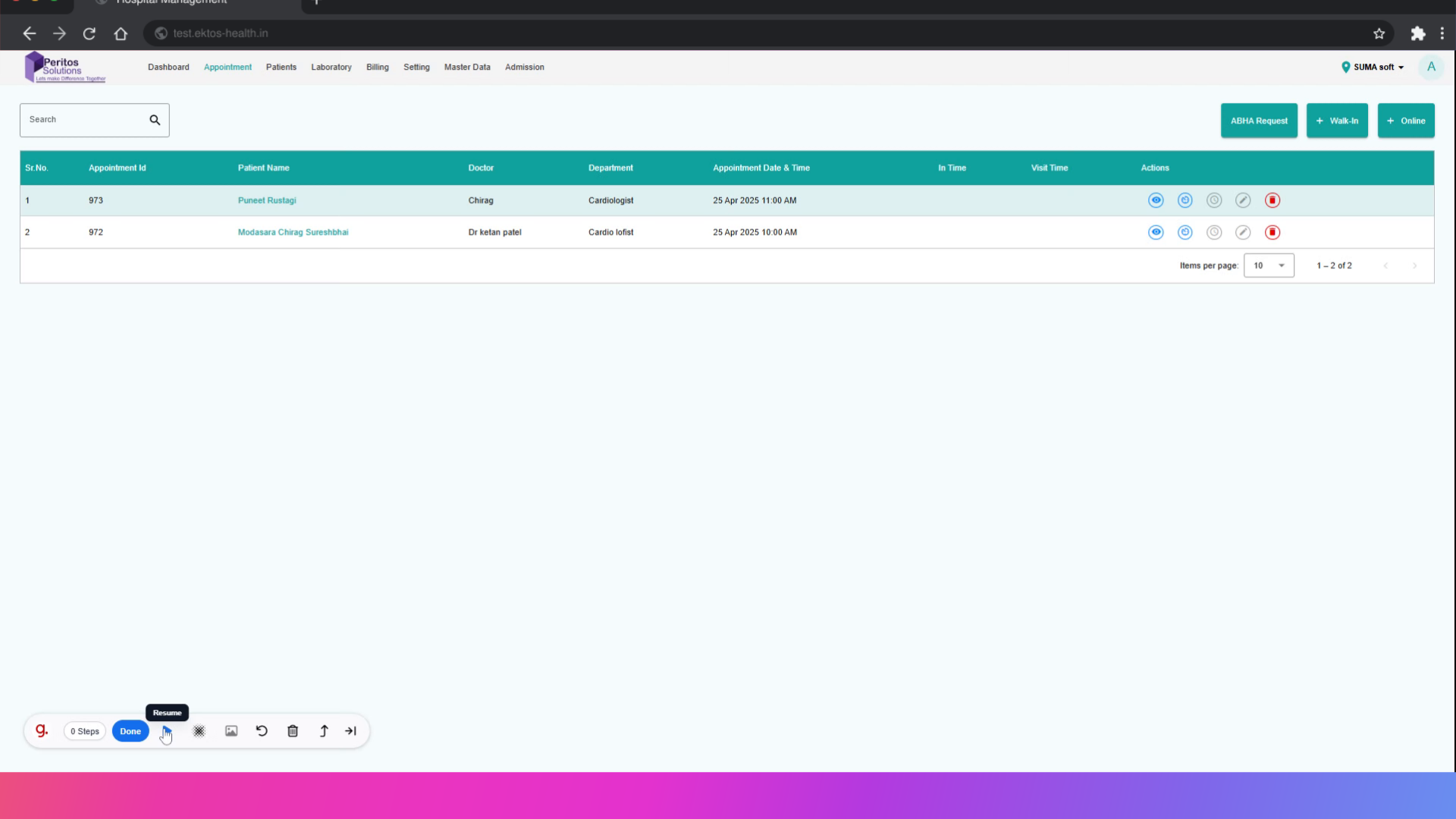
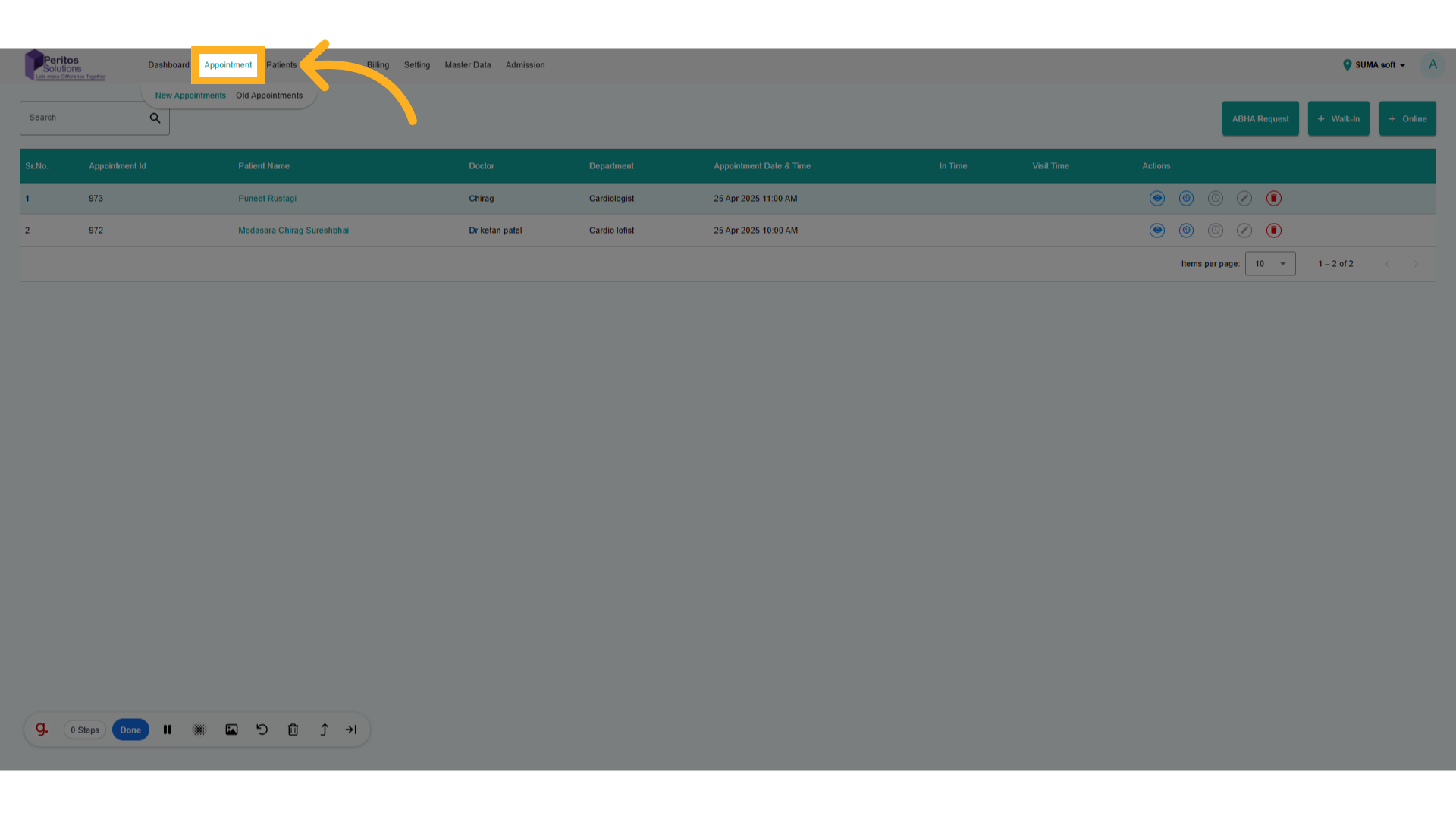
2. Click On Appointment
Navigate to appointment and select new appointment
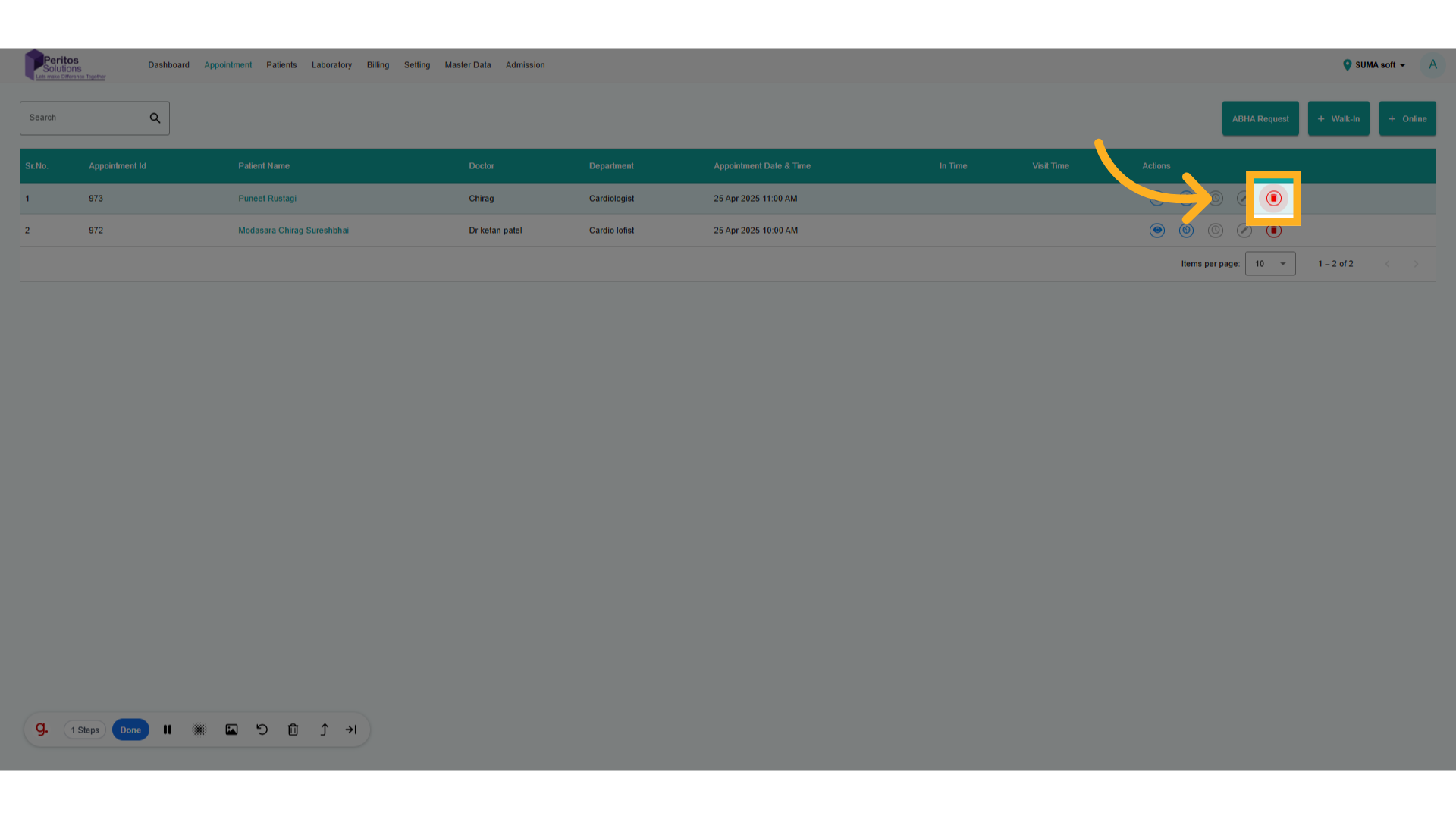
3. Click on Cancel Appointment.
Accessing the appointment section allows you to manage your scheduled commitments effectively, ensuring that you stay organized and can address any changes promptly.
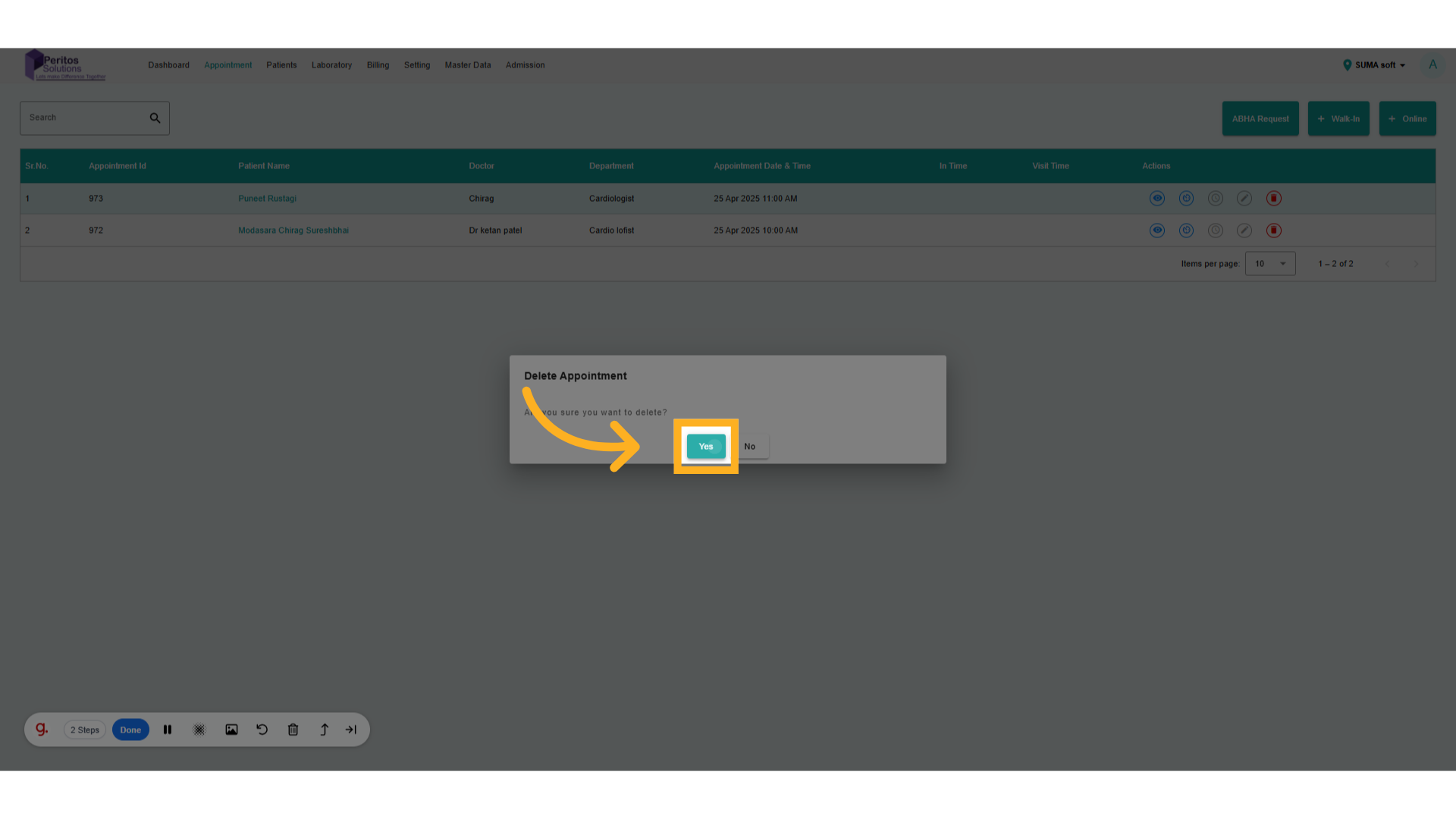
4. Click On Yes to Cancel.
Selecting the specific appointment you wish to cancel enables you to take control of your schedule, avoiding unnecessary conflicts and ensuring your calendar reflects your current availability.
By leveraging the new cancellation feature, users can efficiently manage their appointments, enhance their scheduling flexibility, and ensure their calendars reflect the most current commitments. Enjoy a smoother experience with Ektos-health as you take control of your time!